

Dockerizing a Node.js web application
In this article, I would like to document how I dockerize my portfolio web site, which is a Node.js application.

Build the Node.js application
Firstly, create Dockerfile for the Node.js application.
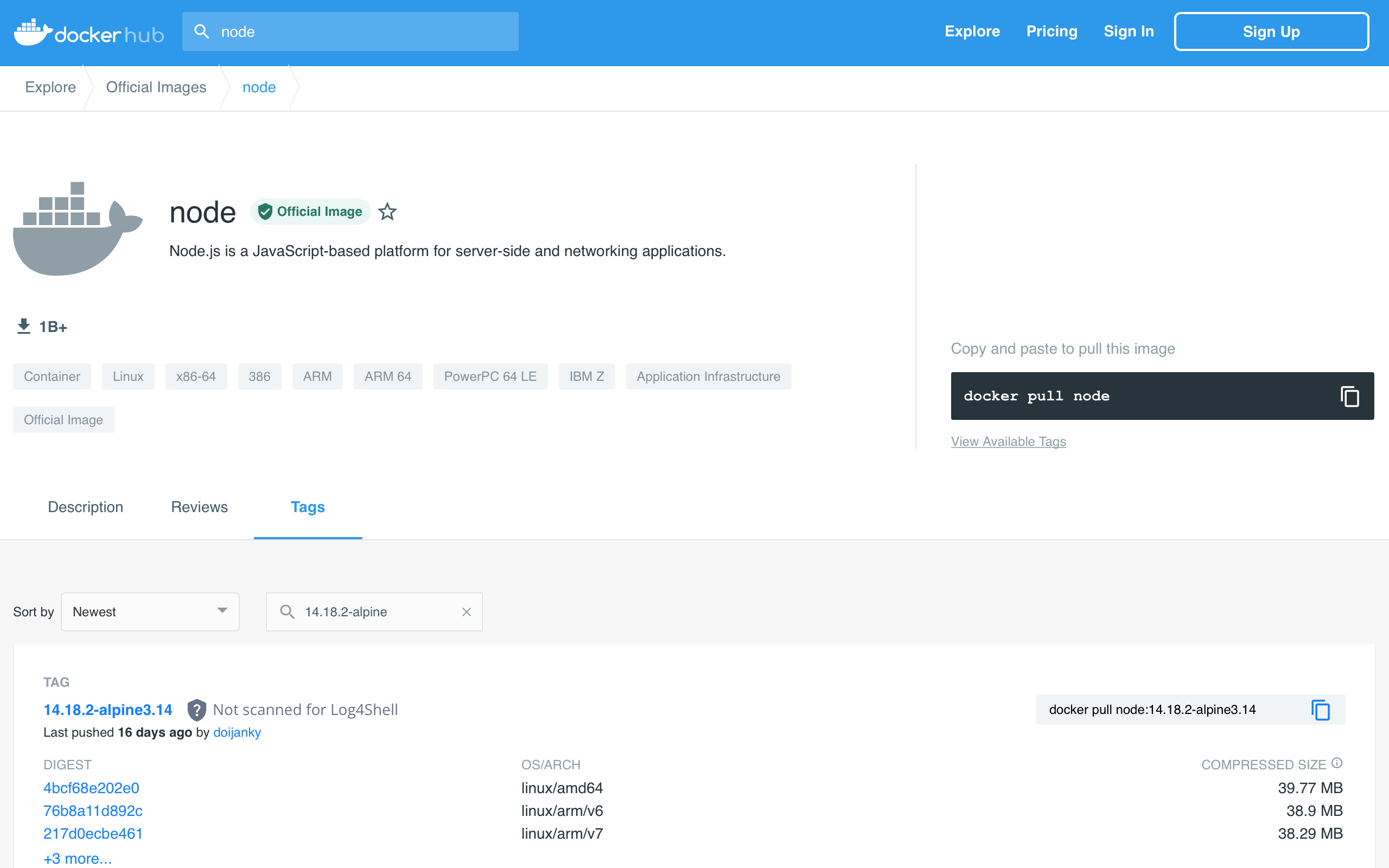
FROM node:14.18.2-alpine3.14
WORKDIR /app
COPY package.json ./
COPY package-lock.json ./
COPY ./ ./
RUN npm ci
CMD ["npm", "run", "start"]
Since I've used node-sass package for enabling SASS in my application and the package supports limited Node.js version, I need to find the right node.js docker image at docker hub.
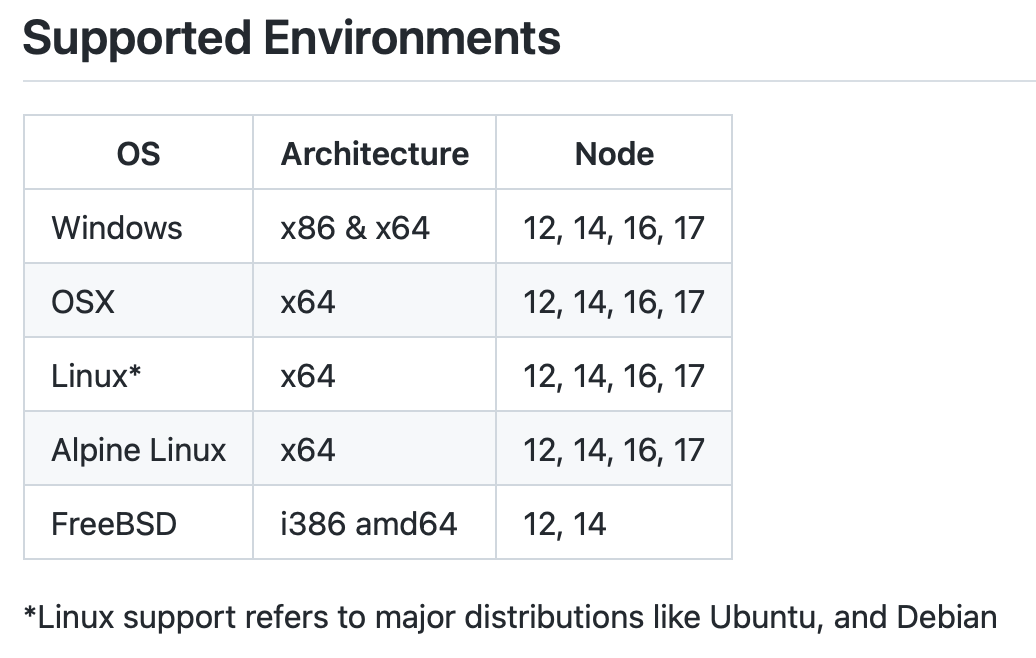
At docker hub, search for the right image in the Tags tab. Once the desired image is found, put it on the first line (i.e. the FROM layer) of the Dockerfile.
Secondly, create .dockerignore file to exclude files and directories from the docker image.
node_modules
*.log
Thirdly, build the Node.js application.
yarn build
Fourthly, build the docker image.
*Make sure Docker Engine is running in your development environment.
docker build -f Dockerfile -t portfolio-website .
Deployment
- Deploy by exposing port 5001 instead of default port 3000 (you can change to any port according to your environment).
docker run --name portfolio-website -it -p 5001:3000 portfolio-website
Verification
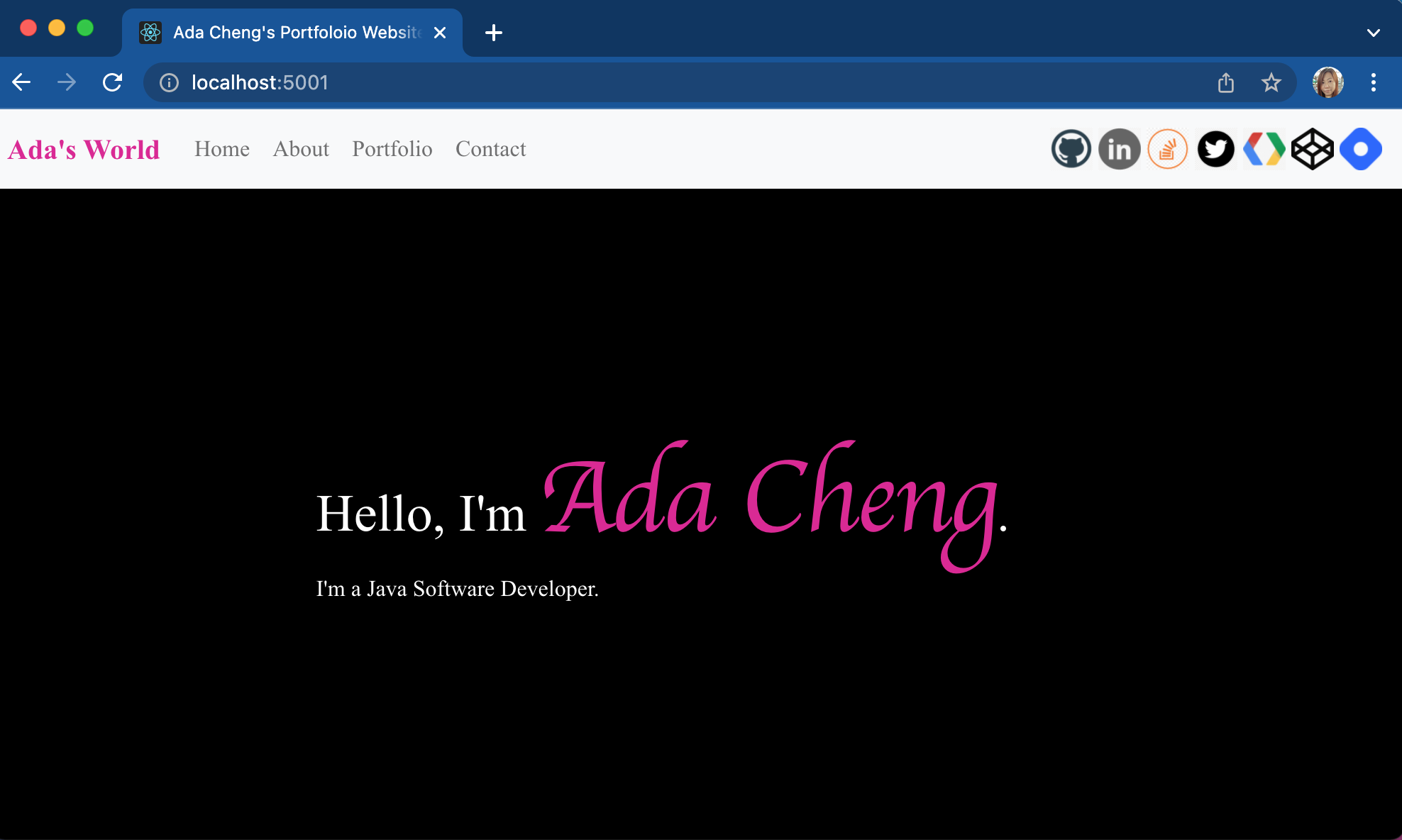
- Check that the web application is running by opening
http://localhost:5001/in a web browser.
About the author
I am a Software Developer, mainly involved in Software Development of JAVA-enabled web applications.
Comments
Join the discussionNo comments yet. Be the first to comment.


