

This is a dummy component which integrates with binary sensor, lock, sensor and switch platforms for demonstrating the development of custom components used in Home Assistant.
Development
Setup development environment as described in the following URL:
https://developers.home-assistant.io/docs/development_environment/Generate the skeleton codes for integration by executing the following command:
python3 -m script.scaffold integrationAn interative Q&A session then starts. When it finishes, it will generate the skeleton codes.
 What is the domain?
 > dummy_garage

 What is the name of your integration?
 > Dummy Garage

 What is your GitHub handle?
 > @adafycheng
What PyPI package and version do you depend on? Leave blank for none.
 >

 How will your integration gather data?

 Valid values are assumed_state, calculated, cloud_polling, cloud_push, local_polling, local_push

 More info @ https://developers.home-assistant.io/docs/creating_integration_manifest#iot-class

 > local_polling

 Does Home Assistant need the user to authenticate to control the device/service? (yes/no) [yes]
 > no

 Is the device/service discoverable on the local network? (yes/no) [no]
 > no

 Is this a helper integration? (yes/no) [no]
 > yes

 Can the user authenticate the device using OAuth2? (yes/no) [no]
 > no

 Scaffolding integration for the dummy_garage integration...
 Writing tests/components/dummy_garage/__init__.py
 Writing homeassistant/components/dummy_garage/const.py
 Writing homeassistant/components/dummy_garage/manifest.json
 Writing homeassistant/components/dummy_garage/__init__.py
 Updating dummy_garage manifest: {'codeowners': ['@adafycheng'], 'iot_class': 'local_polling'}

 Scaffolding config_flow_helper for the dummy_garage integration...
 Writing homeassistant/components/dummy_garage/const.py
 Writing homeassistant/components/dummy_garage/__init__.py
 Writing homeassistant/components/dummy_garage/sensor.py
 Writing homeassistant/components/dummy_garage/config_flow.py
 Writing tests/components/dummy_garage/test_config_flow.py
 Writing tests/components/dummy_garage/test_init.py
 Updating dummy_garage manifest: {'config_flow': True}
 Updating dummy_garage strings: ['config', 'options']

 Running hassfest to pick up new information.

 Running gen_requirements_all to pick up new information.

 Running script/translations_develop to pick up new translation strings.

 **************************

 Integration code has been generated

 Added the following files:
 - homeassistant/components/dummy_garage/config_flow.py
 - homeassistant/components/dummy_garage/manifest.json
 - homeassistant/components/dummy_garage/const.py
 - homeassistant/components/dummy_garage/sensor.py
 - homeassistant/components/dummy_garage/__init__.py

 Added the following tests:
 - tests/components/dummy_garage/test_init.py
 - tests/components/dummy_garage/test_config_flow.py

 The next step is to look at the files and deal with all areas marked as TODO.
In this integration, since we create the entities by configuration, therefore we clear most of the codes
in __init__.py.For each of the platforms,
i. Define the PLATFORM_SCHEMA (mandatoriness and data type) for getting the inputs from configuration.yaml.
 import voluptuous as vol

 from homeassistant.components.sensor import (
     PLATFORM_SCHEMA,
     SensorDeviceClass,
     SensorEntity,
     SensorStateClass,
 )

 DEFAULT_NAME = "Dummy Garage - Sensor"

 PLATFORM_SCHEMA = PLATFORM_SCHEMA.extend(
 {
     vol.Required(CONF_MAC): cv.string,
     vol.Optional(CONF_NAME, default=DEFAULT_NAME): cv.string,
 }
 )
ii. Add a
async_setup_platformfunction to be called when the platform is being setup. In this function, the entity will be created and added to Home Assistant.async def async_setup_platform( hass: HomeAssistant, config: ConfigType, add_entities: AddEntitiesCallback, discovery_info: DiscoveryInfoType | None = None, ) -> None: """Set up the sensor platform.""" name = config[CONF_NAME] mac_addr = config[CONF_MAC] add_entities([DummyGarageSensor(mac_addr, name)], True)iii. Create a class with the Entity class corresponding to the platform as the input parameter.
- The
__init__function is the constructor of the class. - The
namefunction returns as the Name of the entity shown in the Home Assistant Web Application. The
unique_idfunction returns as the unique ID of the entity. I transform the input MAC address to a unique ID.class DummyGarageSensor(SensorEntity): """Representation of a Sensor.""" def __init__(self, mac, name) -> None: super().__init__() self._mac = mac self._name = name self._attr_name = name self._attr_native_unit_of_measurement = TEMP_CELSIUS self._attr_device_class = SensorDeviceClass.TEMPERATURE self._attr_state_class = SensorStateClass.MEASUREMENT @property def name(self) -> str: """Return the name of the switch.""" return self._name @property def unique_id(self) -> str: """Return a unique, Home Assistant friendly identifier for this entity.""" return self._mac.replace(":", "") def update(self) -> None: """Fetch new state data for the sensor. This is the only method that should fetch new data for Home Assistant. """ self._attr_native_value = 23
- The
Deployment
Copy the directory homeassistant/components/dummy_garage/ to the Home Assistant Core /homeassistant/components/.
Add configuration for the desired entities in the
config/configuration.yamlfile.binary_sensor: - platform: dummy_garage name: "Dummy Car Presence" mac: "12:34:12:34:12:34" device_class: "presence" lock: - platform: dummy_garage name: "Dummy Garage Lock" mac: "EF:EF:EF:EF:EF:EF" switch: - platform: dummy_garage name: "Dummy Garage Switch" mac: "AB:AB:AB:CD:CD:CD" sensor: - platform: dummy_garage name: "Dummy Temperature" mac: "56:34:12:90:78:56"For testing purpose, add automations for opening and closing the garage door in the
config/automations.yamlfile. Remember to change the values ofentity_idif they are different from this example.- id: open_garage alias: "Open Garage Door" trigger: - platform: time_pattern minutes: 5 - platform: time_pattern minutes: 15 - platform: time_pattern minutes: 25 - platform: time_pattern minutes: 35 - platform: time_pattern minutes: 45 - platform: time_pattern minutes: 55 action: - service: lock.unlock target: entity_id: lock.dummy_garage_lock - delay: 00:00:10 - service: switch.turn_on target: entity_id: switch.dummy_garage_switch - id: close_garage alias: "Close Garage Door" trigger: - platform: time_pattern minutes: 10 - platform: time_pattern minutes: 20 - platform: time_pattern minutes: 30 - platform: time_pattern minutes: 40 - platform: time_pattern minutes: 50 - platform: time_pattern minutes: 0 action: - service: switch.turn_off target: entity_id: switch.dummy_garage_switch - delay: 00:00:10 - service: lock.lock target: entity_id: lock.dummy_garage_lockStart Home Assistant Core:
hass -c config
Verification
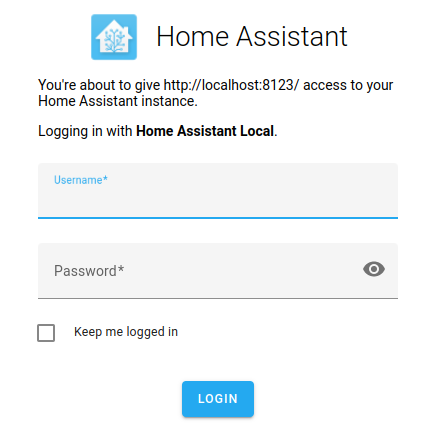
Login Home Assistant Web Application.
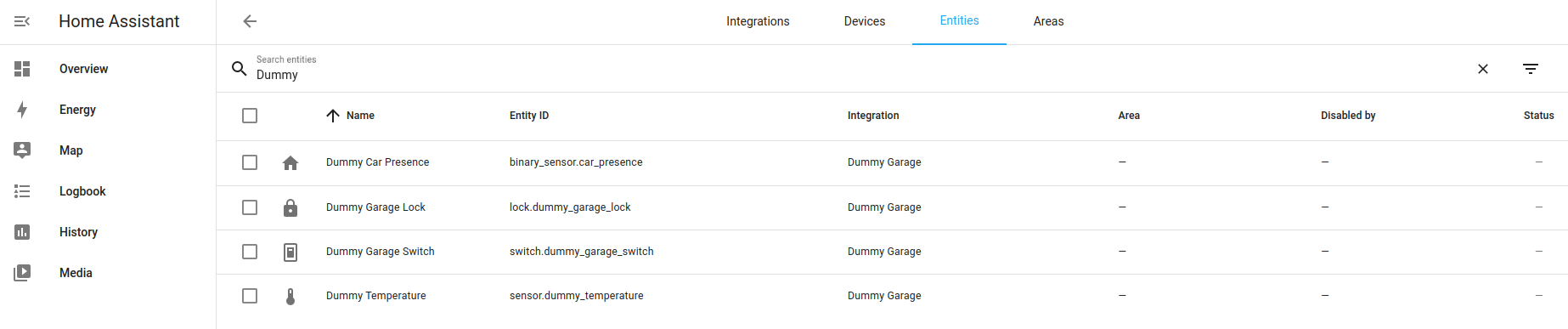
Check that the entities are created.
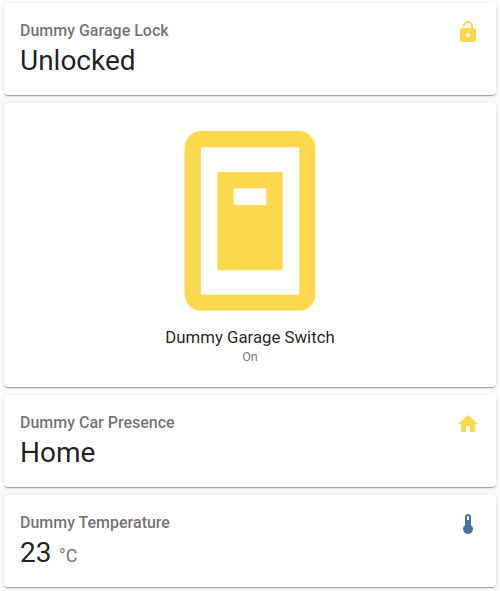
Add the entities at the Overview tab.
Trigger the Open Garage Door action and observe the door lock and switch status.
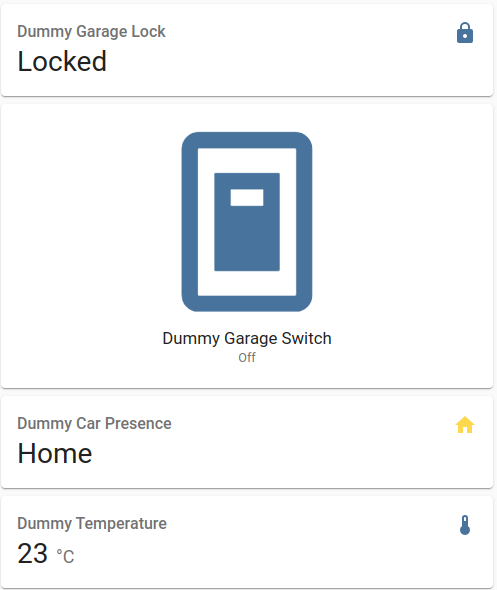
Trigger the Close Garage Door action and observe the door lock and switch status.
Acknowledgements
About the author
I am a Software Developer, mainly involved in Software Development of JAVA-enabled web applications.
Comments
Join the discussionNo comments yet. Be the first to comment.


